Author pages on Amazon
How to set up an author page.
To claim and set up your author page on Amazon, the first thing you need to do is register for an account. If you don’t already have an Amazon account you can set one up via the home page www.amazon.co.uk or by clicking here.
Once you hav e set up an Amazon account, visit Amazon Author Central https://author.amazon.co.uk/
If you are logged in already on your Amazon account you will not need to sign in, but if you aren’t you will be met by this prompt:
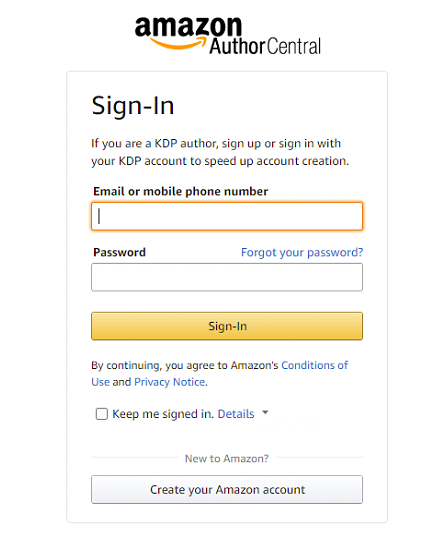
Log in to your account.
When you are logged in you will be met by this screen:
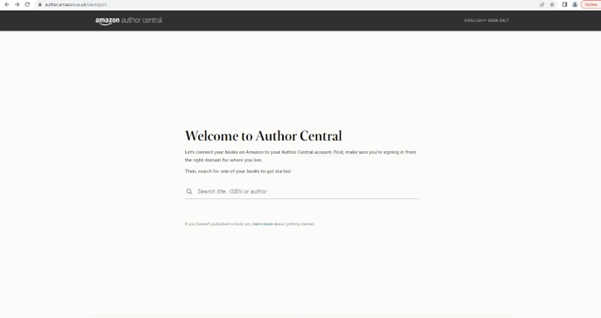
Type in your name, the title of one of your books, or ISBNs and a screen similar to this one below will appear.
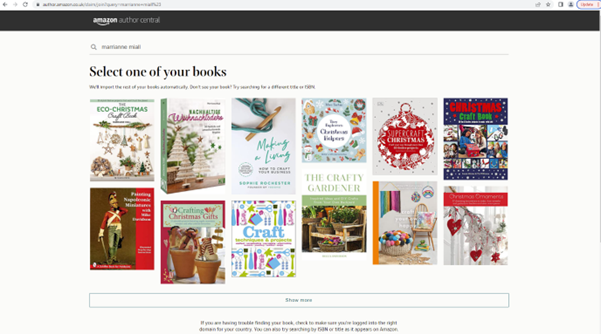
Click on your book. If there are multiple titles that you have authored, click on one of them.
You will be prompted by this screen that confirms the books that you have written:
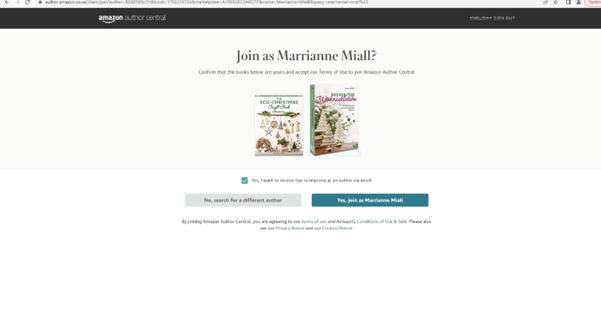
If you are happy to receive information from Amazon please click the tick box.
Click to join Amazon Author Central as the book author.
You will then be taken to a screen like this:
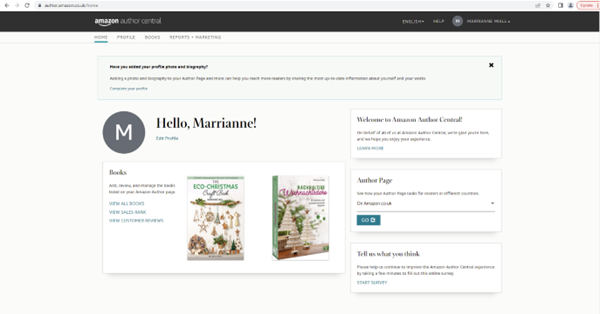
This is your home page on Author Central.
From here you are able to look at your books ranking and various other stats, as well as set up your Author Profile via the tabs at the top of the screen. It’s important to keep your author profile up-to-date so that people interested in your work will discover what you are up to.
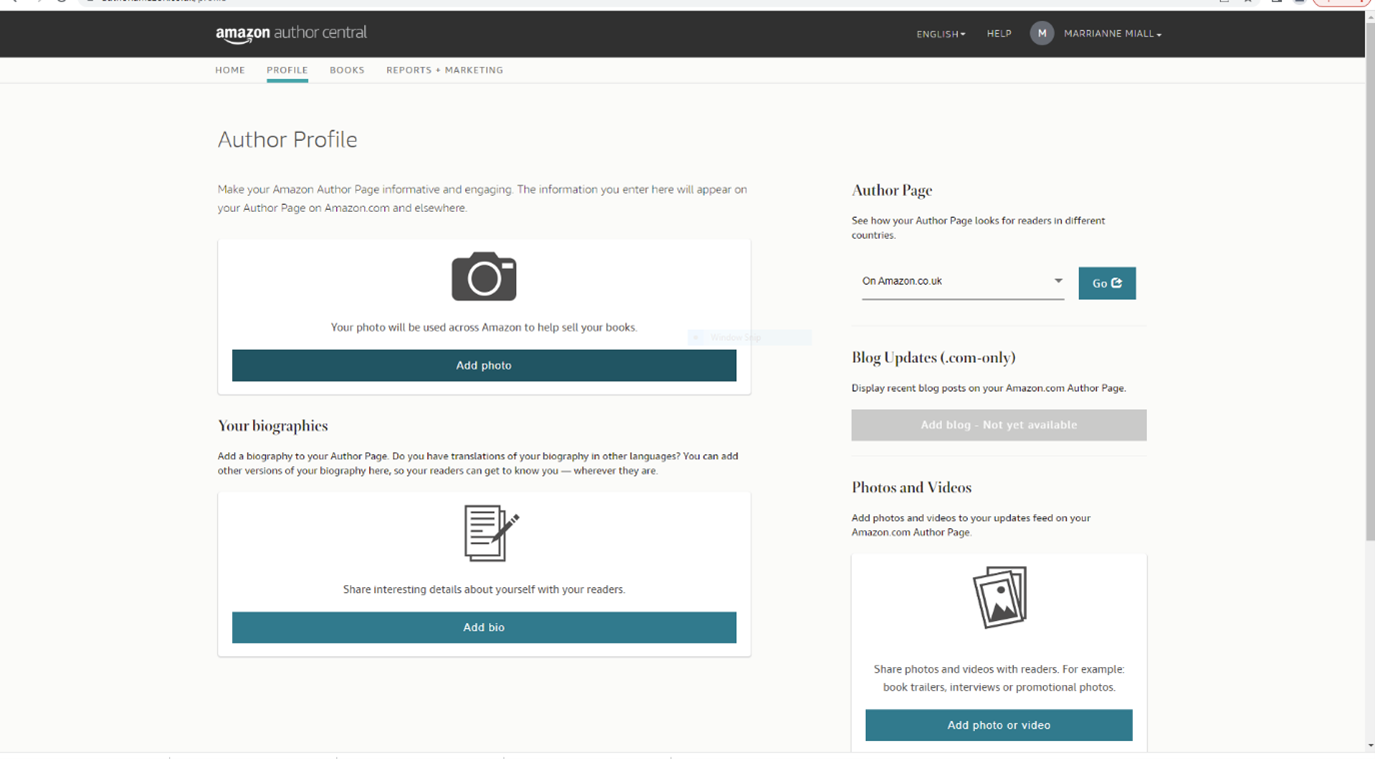
You can click to add a photo and also type in some biographical info:

In addition, you can add promotional videos and photographs to your page via the “Photos and Videos” section:
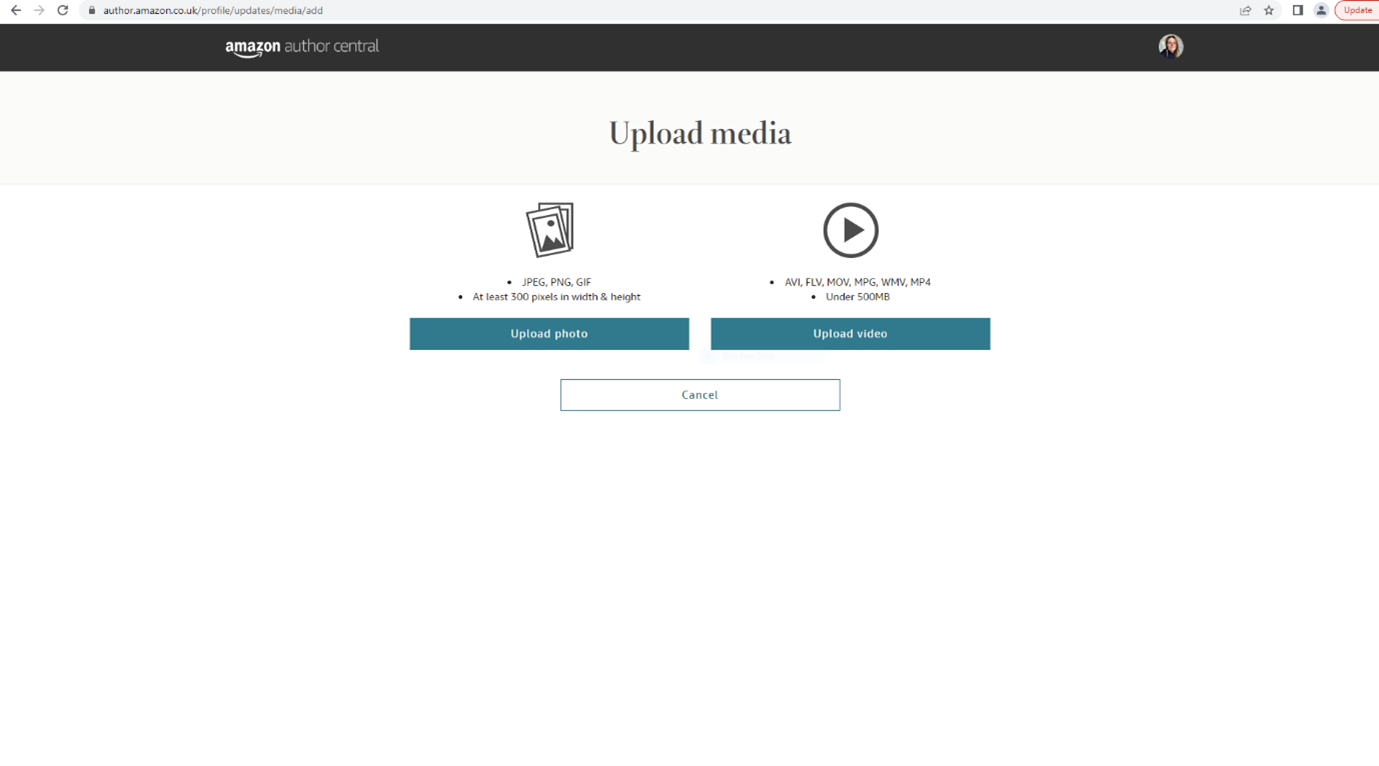
Amazon will verify that you are the author through your account information. For help with any enquiries relating to your account, please use this contact page https://author.amazon.com/contact
A pdf version of these instructions is also available here.

